Windows 10 already has two security apps which are designed to keep it safe. These include Windows Defender and Windows Firewall which do a great job when it comes to fending off viruses and types of malware. There are a lot of people however which desire to be extra protected and if you want to step the security up a level we’ve come with a list of the best antivirus software to enjoy.
Kaspersky Total Security
Kaspersky’s best antivirus to date comes as its name implies with a lot of functions which are designed to be a sweeping safeguard for you and your device. Kaspersky Total Security has a neat tool which will make sure that children who are using a device will not have access to inappropriate content and messages.
It even has a password manager which keeps track with a lot of accounts and also backups your files online. These features are added on top of the ones which are normal for antivirus software to have. A firewall will protect against unknown connections as well as an anti-malware security system which will fend off attacks before you will even noticed that it has done so.
The program starts at $60 per year and is the best options when it comes to an individual not wanting to spend a fortune in order to have their devices protected. Kaspersky Total Security is compatible with Windows XP as well as macOS.
Bitdefender Internet Security
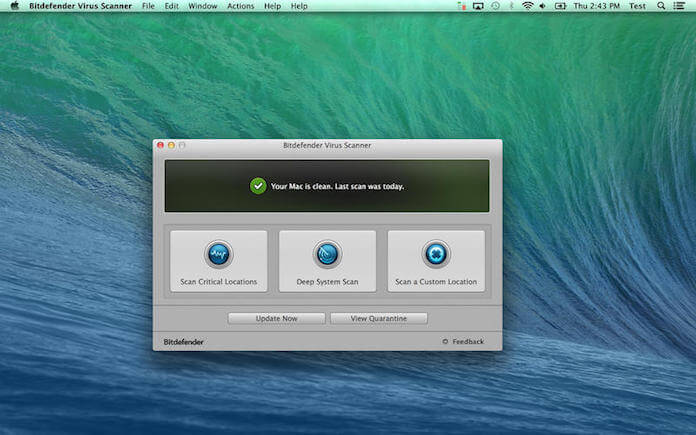
Bitdefender Internet Security is an upgraded version of the Antivirus Plus package as one receives the same security package against viruses and malware as well as some extra features which will make sure that your device will stay protected from all kind of threats.
This software comes with a two-way firewall which will keep any existing viruses on a PC from communicating with the internet. It also comes equipped with its own browser which is specifically crafted for those who use online banking services as well as a virtual file shredder which will delete any traces from your PC.
If you are on the paranoid side, the antivirus even comes with a webcam protection system that keeps anyone from being spied on. These features are some much needed bonuses to the already existing antivirus features of the software such as anti-ransomware, anti-malware as well as anti-phishing modes which will rescue your device from any potential harm which may come its way.
Avira Free Antivirus

Irrespective of the fact that the name has the word “free” in it, in order to receive some added benefits from the Avira antivirus you will have to pay a hefty sum of money in order to get some great protection and a large amount of customizable options.
There is a lot of time to be spend by tweaking with settings in order to get them to your liking but when one finally manages to do so they will receive a robust antivirus which is great for both malware and ransomware protection.
Its main perk is that it comes with a customizable firewall and a tracking blocker which will deter companies from collection your online information for unauthorized use thus offering a safe browsing feature which also blocks malicious websites with great effectiveness.
The antivirus also comes with a cloud scanner which performs in real-time and makes sure that even the most recent versions of malware are kept at bay.
Webroot ScuereAnywhere AntiVirus
This software comes as an extremely interesting package as its database is stored in a cloud system, which means that it only takes about 2MB of your hard drive and does not require updates to be delivered constantly.
Webroot also takes about 4MB of your RAM when it is in idle and it also comes as extremely important if there is not much RAM memory to spare. The antivirus is extremely innovative and it is the only one in its sector to be cloud-based. New files and programs are scanned and their signature is sent to the cloud to be checked for potential flaws and viruses.
When the scanning process is performed, the file in question is kept in a quarantine state and when the program determines a certain files to be safe to use the quarantine state disappears. On top of that one is also getting malware protection as well as anti-phishing tools which come as great improvements to private information being safely kept.
Leave a Reply